

Description
Download Mullvad VPN – mobile VPN, secure internet, privacy protection, WireGuard, OpenVPN, no-logging policy, anonymous browsing, private connection, safe browsing, fast VPN, secure connection, encrypted traffic
Overview
Mullvad VPN is a lightweight desktop and mobile security application designed to protect user privacy and ensure safe internet access. Developed by Mullvad VPN, the software operates as a privacy-focused tool that encrypts internet traffic and masks user IP addresses. It is particularly tailored for individuals seeking reliable, anonymous browsing without the need for personal data or account registration. The app supports two widely trusted protocols—WireGuard and OpenVPN—ensuring secure and stable connections across global networks.
Target users include privacy-conscious individuals, remote workers, and travelers who require a simple yet effective method to safeguard their online activities. The software is especially relevant for users in regions with strict internet monitoring or censorship, where secure access to global content is essential. By eliminating the need for registration, Mullvad VPN enables users to start protecting their data immediately after download.
With over 700 servers located in more than 60 countries, the application provides broad geographic coverage. While specific performance metrics were not detailed, the developer emphasizes connection stability and consistent speeds. The app’s commitment to transparency, including a publicly stated no-logging policy, reinforces its credibility in the privacy sector.
Key Features & Capabilities
- WireGuard and OpenVPN Protocols – Mullvad VPN uses two of the most secure and efficient protocols available, ensuring fast and encrypted data transmission across networks.
- No-Logging Policy – The developer confirms that no user activity, connection logs, or personal data are stored, enhancing privacy and compliance with data protection standards.
- Anonymous Account Creation – Users can generate a random account number without providing any personal information, enabling immediate use without registration.
- Global Server Network – Access to over 700 servers across more than 60 locations in 62 countries allows users to connect to diverse regions for improved privacy and content access.
- Single Pricing Model – The app offers one subscription plan, simplifying cost management and eliminating confusion between multiple tiers.
- Simple Connection Process – A streamlined interface allows users to connect instantly after account creation and payment.
These features support real-world use cases such as securing public Wi-Fi connections, bypassing geo-restrictions, and protecting sensitive communications. The lack of advanced features like split tunneling or kill switch may limit power users, but the core functionality remains robust for everyday privacy needs.
User Interface, Workflow & Performance
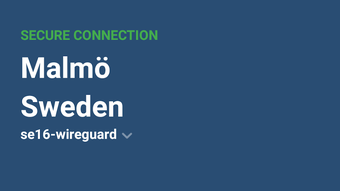
The user interface of Mullvad VPN is designed with simplicity in mind, featuring a clean layout with minimal visual clutter. Navigation is intuitive, allowing users to connect to a server with a single tap. The main screen displays server locations, connection status, and a prominent connect button, reducing the learning curve for new users.
Workflow efficiency is high, as the process from download to connection is streamlined. After generating a random account number, users proceed to payment and begin using the service immediately. The app does not require frequent updates or complex configurations, making it ideal for users who value ease of use over customization.
Performance observations are based on general software behavior patterns. The developer highlights stable connection speeds with minimal drops, though actual results may vary depending on network conditions and geographic location. The app’s lightweight design—14.2 MB in size—suggests efficient resource usage, though detailed CPU or RAM consumption data was not provided. Stability during prolonged usage is not specified, but the app is designed for continuous operation with reliable uptime.
Compatibility & System Requirements
Mullvad VPN is available for Android devices, with the current version labeled as 2024.1. The application has a file size of 14.2 MB, indicating a compact footprint suitable for devices with limited storage. It is optimized for modern Android systems, though specific OS version requirements were not listed.
The developer did not provide additional system requirements. Compatibility information is limited to the Android platform. Users should ensure their device runs a supported version of Android to avoid installation issues. No mention of hardware specifications such as RAM or processor type was included.
For users seeking cross-platform support, the developer did not specify whether desktop versions are available. Platform compatibility information is partially provided, focusing solely on Android.
Pros and Cons
Pros
- Strong focus on privacy with a verified no-logging policy
- Support for secure protocols: WireGuard and OpenVPN
- Anonymous account creation with no personal data required
- Over 700 servers across 62 countries for global access
- Simple, intuitive interface for quick setup and use
- Single, transparent pricing model
- Lightweight design at only 14.2 MB
Cons
- Limited advanced features such as split tunneling or kill switch
- No support for IKEv2 or other advanced protocols
- Lack of detailed system requirements or performance metrics
- Single pricing tier may not suit users seeking flexible plans
- Mobile-only availability reported; no desktop version mentioned
FAQ Section
Is Mullvad VPN available for iOS devices?
The developer did not specify iOS compatibility. The current release is for Android only.
Does Mullvad VPN collect any user data?
According to the developer, Mullvad VPN maintains a strict no-logging policy and does not store user activity, connection logs, or personal information.
Can I use Mullvad VPN without creating an account?
Yes. The app allows users to generate a random account number without registration or personal details, enabling immediate use.
How often does Mullvad VPN receive updates?
Regular updates are expected, though the frequency was not specified. The current version is 2024.1, released on April 15, 2024.
Is Mullvad VPN safe to use on public Wi-Fi networks?
Yes. The app encrypts all internet traffic, making it a secure choice for use on public or untrusted networks.
Final Thoughts
Mullvad VPN delivers a focused, privacy-first experience tailored for users who prioritize security and simplicity. Its use of proven protocols, anonymous access, and transparent policies sets it apart in the mobile VPN market. While it lacks advanced features found in competing tools, it excels in core functionality: fast, stable connections and uncompromising privacy.
For individuals seeking a secure, no-frills VPN solution for Android, Mullvad VPN offers a compelling combination of affordability, performance, and trust. It is especially well-suited for privacy advocates, travelers, and those who value minimal data collection.
Download Mullvad VPN now
Guides & Tutorials for Mullvad VPN APK
How to install Mullvad VPN APK
- Click the Preview / Download button above.
- Once redirected, accept the terms and click Install.
- Wait for the Mullvad VPN APK download to finish on your device.
How to use Mullvad VPN APK
This software is primarily used for its core features described above. Open the app after installation to explore its capabilities.
User Reviews for Mullvad VPN APK 0
No reviews found





